The file list
The file list is a plain text file. Each line names one file or folder to copy.
How to write it
Write one path on each line. Write each path as seen from the reference folder, with or without a leading slash. These two lines mean the same thing.
notes/tide-tables.md
/notes/tide-tables.md
A path that starts from the root of your disk, such as /Users/…, is not used as it is. It is read as a path inside the reference folder.
Check the list
When you choose a file list, 8M Extract looks for each path in the reference folder and lists the result. A check mark means the path was found.
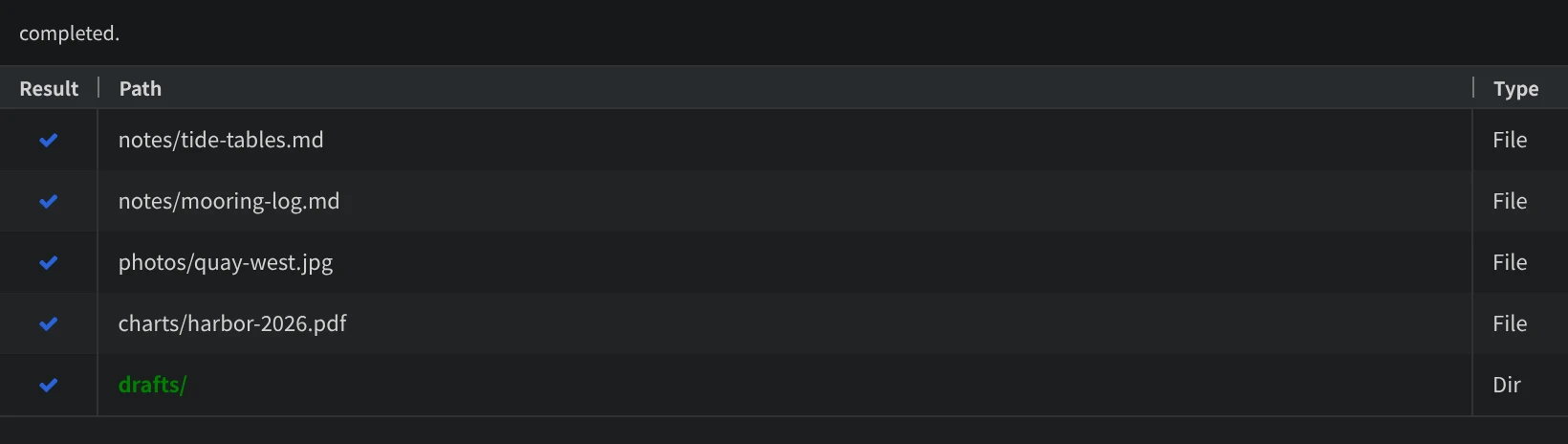
If some paths could not be found, the top of the window says how many.
If you change the file list after choosing it, press the button with two arrows next to the file list, and the file is read again.
Folders in the list
A line can also name a folder. In the Pro edition, turn on If the path is a directory designation, all contents are extracted in Output Setting, and everything inside the folder is copied. In the free edition, the folder is not copied.
How many lines
The free edition uses the first 100 lines. The Pro edition has no limit.