Output settings
Output Setting, in the left panel, has five options. They apply to the next copy.
ProAvailable in the Pro edition.
The five options
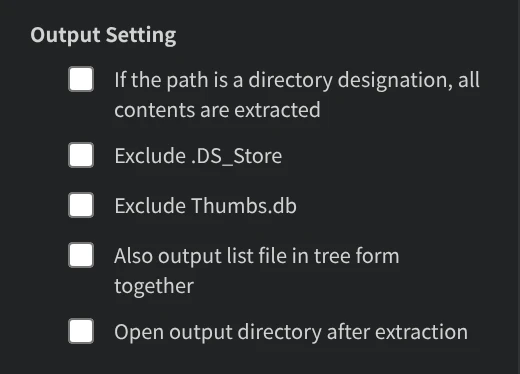
- If the path is a directory designation, all contents are extracted: when a line in the list names a folder, everything inside it is copied.
- Exclude .DS_Store: files named
.DS_Storeare not copied. - Exclude Thumbs.db: files named
Thumbs.dbare not copied. - Also output list file in tree form together: after the copy, a dialog asks where to save a text file with the copied paths drawn as a tree. The suggested name is
tree.txt. - Open output directory after extraction: the output folder opens when the copy is done.
Your settings are remembered
The Pro edition remembers these options, so they are as you left them the next time you open the app.
English and Japanese
Both editions show English or Japanese, following the language of your system. Japanese is used when the system language is Japanese; otherwise English is used.
In the free edition
The free edition does not show Output Setting. Folders named in the list are not copied, and the other four options are off.