The window
The left panel sets what to copy from. The list on the right shows what will be copied. The bar at the bottom sets where it goes.
Parts of the window
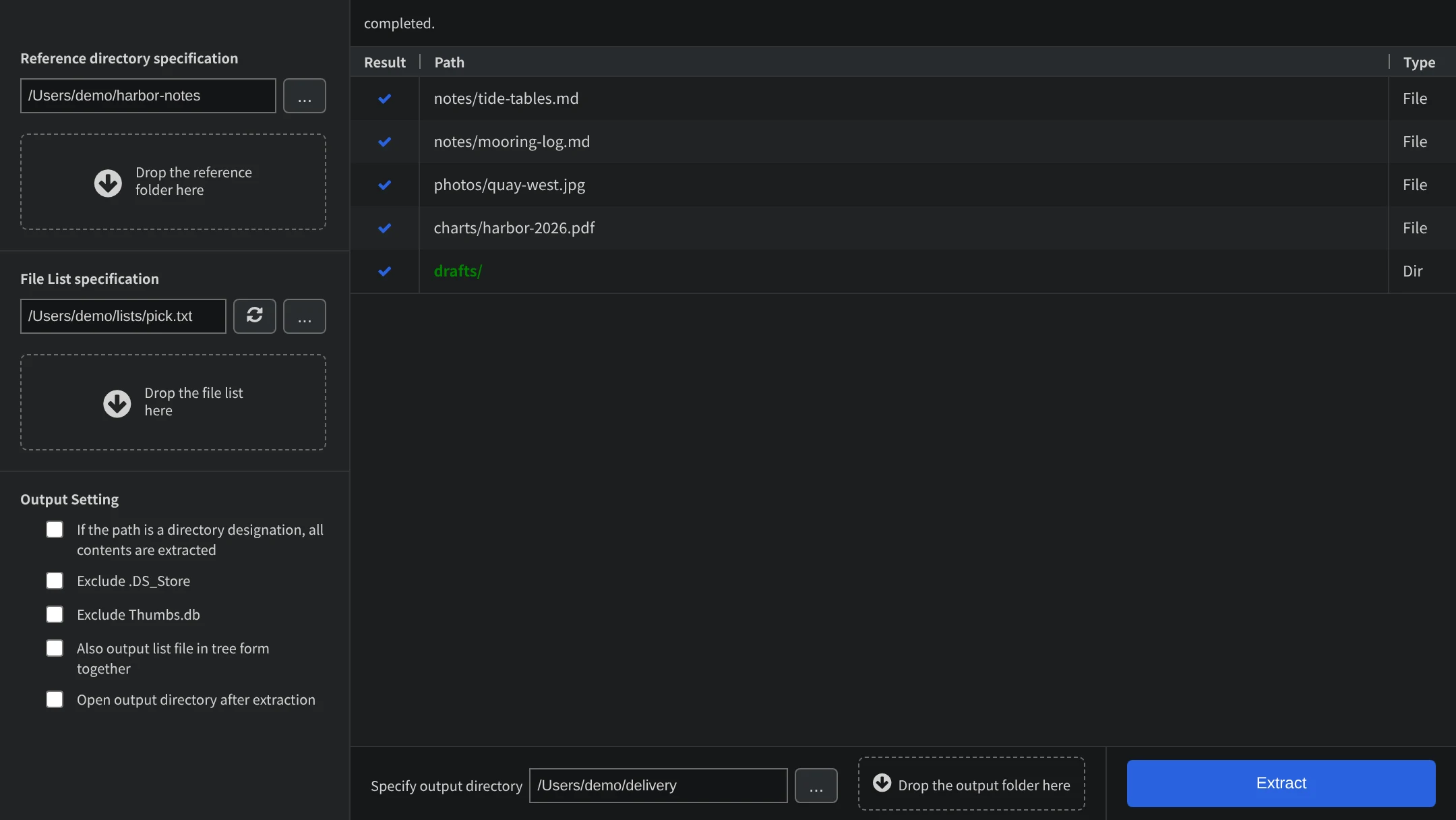
- Reference directory: the folder the files are copied from.
- File List: the text file that names the files to copy. The button with two arrows next to it reads the file again.
- Output Setting: options for the copy (Pro edition).
- Result / Path / Type: the list of paths. Type tells whether the path is a file (File) or a folder (Dir).
- Specify output directory: the folder the files are copied to.
- Extract: starts the copy.
Drop or pick
Each of the three folders and files can be set in two ways: drop it onto the dashed area, or press the ... button to choose it.